
Names in your text
See which names in a scene are in your codex, and what your codex says about them, as you write.
Every name from your codex gets a faint underline in your text. Point at one to see who or what it is. This is Lens.
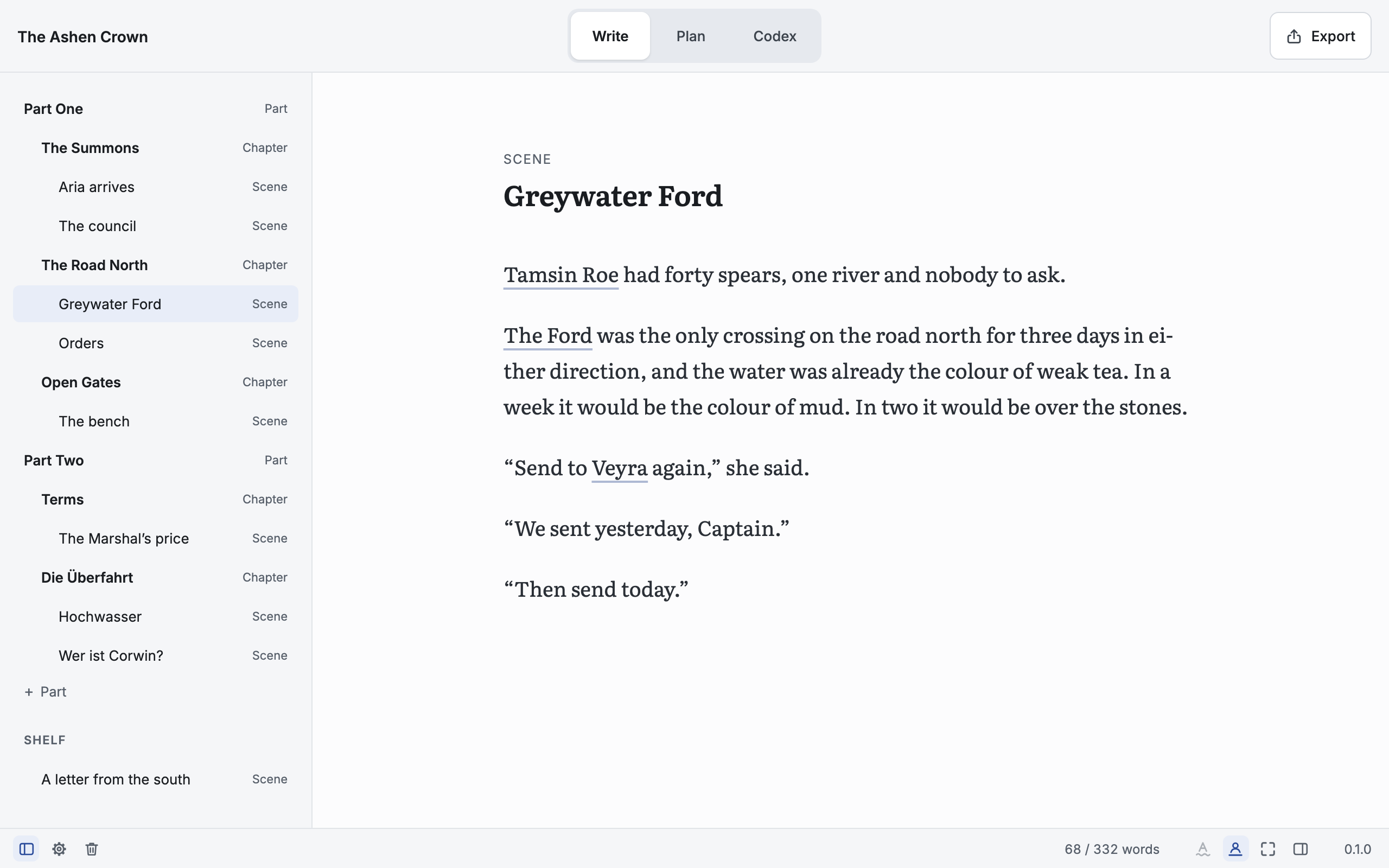
See who someone is
Point at an underlined name and wait a moment. A card shows the entry's initials, name and kind, and the first lines of its description. With the keyboard, move the cursor into a name and stop there.
The card goes as soon as you type.
Open the entry
Hold ⌘ and click the name (Ctrl on Windows), and the entry opens in the Codex. A plain click puts the cursor in the name, so you can still fix a typo.
Turn the underlines off
Want nothing but your text? Click the button with a person over a line in the status bar, beside the spellcheck button. Or press ⇧⌘H (Ctrl+Shift+H on Windows), or choose Disable codex highlight in Commands, or turn off Codex names in Settings › General › Editor.
Your choice holds for every project, and the next time you start Qwil. While the underlines are off, pointing at a name shows no card, and ⌘-click places the cursor.
To take Lens out of one project altogether, turn it off in Settings › Project › Plugins. See Plugins.
Names are spelled right
An entry's name, and every name under Also called, counts as spelled right in your scenes and your descriptions, with the endings a name takes in your project's language: "Aria’s" in English, "Arias" in German. Add an entry, and the wavy line under its name goes at once.
To have Spellcheck check those names like any other word, turn off Names from your codex in Settings › Project › Language.
Good to know
- A name follows its entry: rename it in the Codex, and the underline follows. Move the entry to the trash, and the underline goes.
- A name two entries share shows both cards.
- A name in a note is underlined in the note's card, without a card of its own.
- Only one card shows at a time. Pointing at a note's marker shows the note instead.
- Focus mode leaves the underlines as you set them.