
Kinds and relations
Decide what your codex holds: the kinds of entry, their details, and the relations between them.
A new project's codex starts with Characters and Places. Your story may need groups, ships or gods, and may not need places at all. You decide.
Open Settings (⌘, or Ctrl+, on Windows, or the gear at the left end of the status bar), then choose Codex under Project.
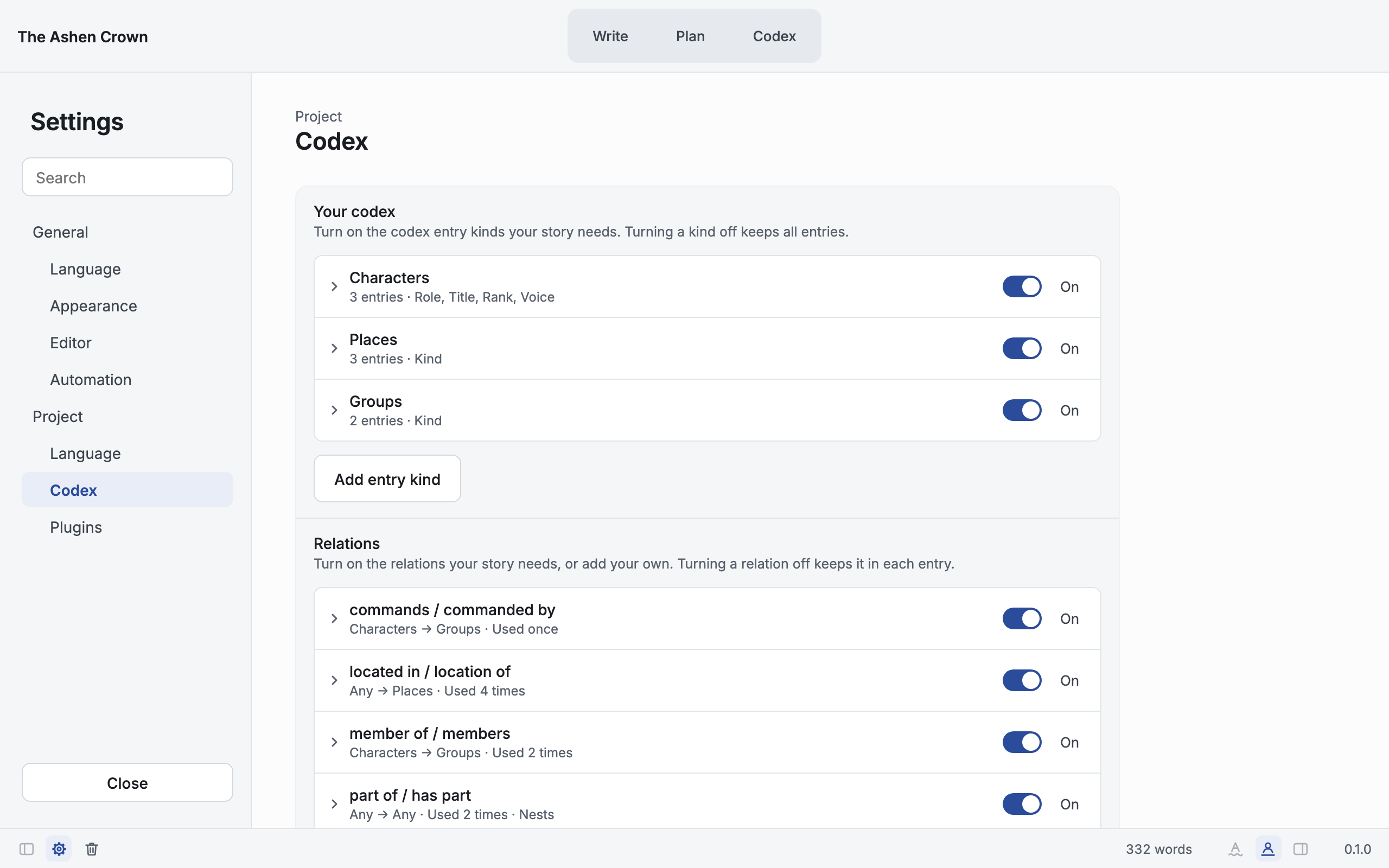
Turn a kind off or on
Use its switch. A kind you turn off leaves the Codex with all its entries. Turn it on again, and they're back.
Change a kind
Click its row to open it. Type a new Name or Plural, then press Enter or click elsewhere. Esc puts back what was there.
In the open row:
- Type over a detail's name to rename it.
- Use the arrows to move a detail up or down.
- Click the cross to remove a detail, then Remove, or Keep.
- Click Add a detail, type its name and press Enter. Type the next one the same way, or press Esc when you're done.
Add a kind of your own
Click Add entry kind, type its name, such as Creature, and press Enter. Type its plural next, then add its details. In the Codex, it gets a heading of its own, with a + to add an entry.
Relations
Under Relations, each relation has a row with its names from both ends, the kinds of entry it connects and how often you use it.
- Make a relation: click Add relation kind, type its name, such as "rival of", and press Enter. Name from the other end is ready to type next, such as "rivals".
- Change one: click its row, change Name or Name from the other end, and press Enter.
- What it connects: under From and To, the kinds it connects are selected. Click one to take it away or add it back, or choose Any.
- Nests: turn it on to list each entry under the one it belongs to, as Part of does. An entry then belongs to one other only.
- Same both ways: turn it on for a relation that reads the same from both entries, such as "related to".
- Turn a relation off: use the switch at the end of its row.
Good to know
- Changes here save at once. Undo doesn't take them back.
- Turning a kind or a relation off removes nothing from your entries. A relation you turn off leaves the entry pages, Add relation and Group by until you turn it on again.
- You can't delete a relation here. Turn it off instead.
- Two relations can't share a name, from either end.
- A relation can't nest and read the same both ways at once. Turn one off before you turn the other on.
- A relation can't nest while an entry has it twice, or while it goes round in a circle. Qwil names the entry to change first. The same goes for narrowing what a relation connects while an entry already uses it another way.
- Removing a detail keeps what you wrote in it in your entries' files. Their pages still show it, after the kind's own details. Renaming a detail keeps what your entries say there.
- Kinds show in the order of their files' names, so a new one may show up in the middle of the list.
- Each kind and each relation is a small file in your project's
schemafolder. - A German project starts with Figuren and Orte.